 SmartPicks
How to Choose an Ergonomic Mouse
Disclosure: this page contains affiliate links. If you buy through them, we may earn a commission at no extra cost to you. We only recommend products we would use ourselves.
When it comes to setting up a home office, learning how to choose an ergonomic mouse is crucial for maintaining comfort and productivity during long working hours. As someone who spends a significant amount of time on their computer, I've come to realize the importance of an ergonomic mouse in preventing strain and discomfort. In this guide, I'll walk you through the key features and criteria to consider when selecting an ergonomic mouse that suits your needs.
Understanding Ergonomic Mouse Designs
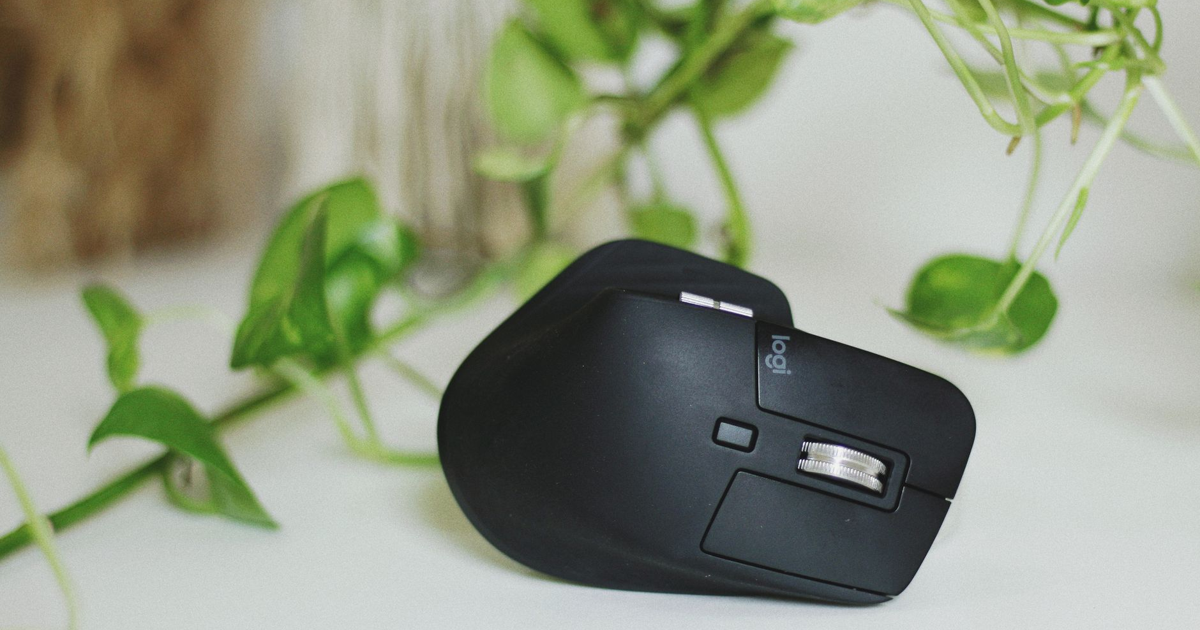
Ergonomic mice are designed to fit comfortably in your hand, reducing strain on your wrist and forearm. There are two main types of ergonomic mouse designs: vertical and traditional. Vertical mice are designed to be held in a neutral position, with your palm facing upwards, while traditional ergonomic mice have a contoured shape that fits in the palm of your hand. Both designs aim to reduce strain, but the choice between them depends on personal preference and the type of work you do.
Vertical vs Traditional Ergonomic Mice
Vertical ergonomic mice are ideal for those who spend most of their time browsing, scrolling, and performing light computer tasks. They promote a neutral wrist position, which can help reduce the risk of developing conditions like carpal tunnel syndrome. On the other hand, traditional ergonomic mice are better suited for users who require more precision and control, such as graphic designers, gamers, and video editors. These mice often have more buttons and adjustable sensitivity, allowing for a more customized experience.
Key Features to Consider
When learning how to choose an ergonomic mouse, there are several key features to consider: * Size and fit: The mouse should fit comfortably in your hand, with easy access to all buttons and controls. * Wired or wireless: Wireless mice offer more freedom and convenience, but may have connectivity issues or require more frequent battery replacements. Wired mice, on the other hand, provide a reliable connection but can be restrictive. * Button layout and customization: Consider the number and placement of buttons, as well as the ability to customize their functions. * Sensitivity and precision: If you require high precision, look for a mouse with adjustable sensitivity and a high-quality optical sensor. * Wrist comfort and support: Look for a mouse with a comfortable, cushioned design that supports your wrist and reduces strain.
Trade-Offs and Common Mistakes
When selecting an ergonomic mouse, there are several trade-offs to consider: * Cost vs quality: More expensive mice often have advanced features and better build quality, but may not be necessary for casual users. * Wireless convenience vs reliability: Wireless mice offer more freedom, but may have connectivity issues or require more frequent battery replacements. * Precision vs comfort: High-precision mice may require a more neutral wrist position, which can be less comfortable for some users.
Common mistakes to avoid include: * Not considering hand size: A mouse that is too small or too large can be uncomfortable and even lead to strain. * Not testing the mouse: Try out a mouse before buying to ensure it feels comfortable and suits your needs. * Prioritizing features over comfort: Remember that comfort and ergonomics should be the top priority when choosing a mouse.
Matching the Product to Your Budget and Needs
To match an ergonomic mouse to your budget and needs, consider the following:
| Feature | Importance | Cost |
|---|---|---|
| Ergonomic design | High | $20-$50 |
| Wireless connectivity | Medium | $10-$30 |
| High-precision sensor | Medium | $20-$50 |
| Customizable buttons | Low | $10-$20 |
By prioritizing your needs and budget, you can find an ergonomic mouse that provides the right balance of comfort, features, and affordability.
Final Tips
When learning how to choose an ergonomic mouse, remember to prioritize comfort and ergonomics. Consider your specific needs and budget, and don't be afraid to try out different options before making a purchase. With the right ergonomic mouse, you can reduce strain, improve productivity, and enjoy a more comfortable computing experience.
FAQ
* Q: What is the best type of ergonomic mouse for gaming? A: Traditional ergonomic mice with high-precision sensors and customizable buttons are often preferred by gamers. * Q: Can I use an ergonomic mouse with a laptop? A: Yes, ergonomic mice can be used with laptops, and many wireless options are available for convenient use on-the-go. * Q: How often should I replace my ergonomic mouse? A: The lifespan of an ergonomic mouse depends on usage and quality, but it's generally recommended to replace it every 2-3 years or when signs of wear and tear appear.
Our specific top picks and current deals are being added — check back soon.